梅雨入りしているとは思えない、いい天気。iOSアプリ「Zen Brush」を用い、iPadで描いたスケッチに、言葉を添えてみた。
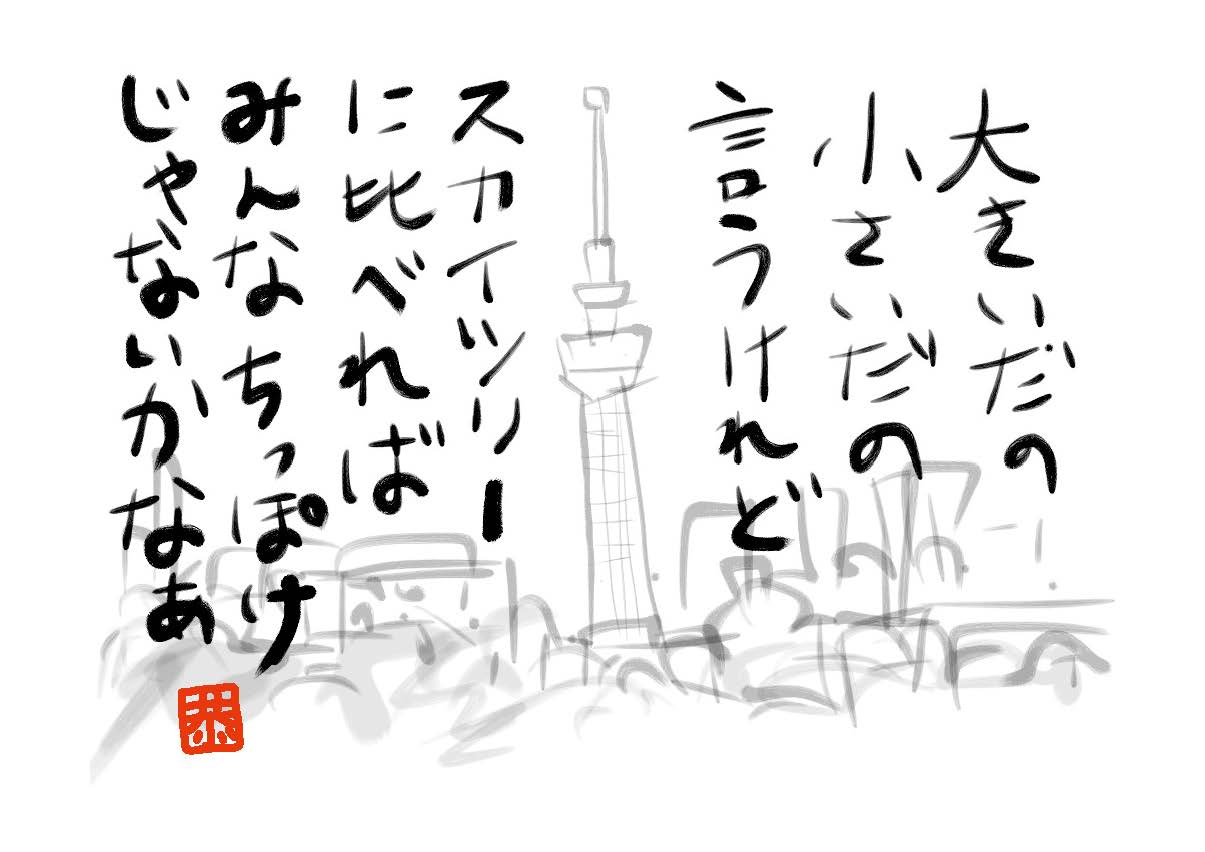
スカイツリーよ絵手紙に
Comments
“スカイツリーよ絵手紙に” への2,463件のフィードバック
-
One more thing. I really believe that there are quite a few travel insurance web-sites of reputable companies that allow you enter your vacation details and get you the quotes. You can also purchase the particular international travel cover policy on-line by using the credit card. All you need to do would be to enter your own travel specifics and you can be aware of the plans side-by-side. Just find the program that suits your finances and needs and then use your bank credit card to buy the idea. Travel insurance online is a good way to search for a respected company with regard to international travel cover. Thanks for sharing your ideas.
-
This is a great web site, will you be interested in doing an interview about just how you designed it? If so e-mail me!
-
Hi! Would you mind if I share your blog with my myspace group? There’s a lot of folks that I think would really appreciate your content. Please let me know. Thank you
-
Hey very nice site!! Man .. Beautiful .. Amazing .. I’ll bookmark your website and take the feeds also?I am happy to find numerous useful info here in the post, we need work out more techniques in this regard, thanks for sharing. . . . . .
-
In these days of austerity in addition to relative panic about taking on debt, a lot of people balk against the idea of using a credit card in order to make purchase of merchandise or even pay for a trip, preferring, instead to rely on the actual tried and trusted approach to making payment – cash. However, if you possess the cash on hand to make the purchase completely, then, paradoxically, that’s the best time for you to use the credit card for several factors.
-
Write more, thats all I have to say. Literally, it seems as though you relied on the video to make your point. You obviously know what youre talking about, why waste your intelligence on just posting videos to your weblog when you could be giving us something enlightening to read?
-
Hello my friend! I want to say that this post is amazing, great written and come with almost all significant infos. I?d like to peer extra posts like this .
-
Would you be fascinated about exchanging hyperlinks?
-
Do you have a spam problem on this website; I also am a blogger, and I was wondering your situation; many of us have created some nice procedures and we are looking to trade methods with other folks, be sure to shoot me an email if interested.
-
Do you mind if I quote a few of your articles as long as I provide credit and sources back to your weblog? My website is in the very same niche as yours and my visitors would truly benefit from a lot of the information you present here. Please let me know if this alright with you. Cheers!
-
I do agree with all of the ideas you have presented in your post. They are really convincing and will definitely work. Still, the posts are too short for starters. Could you please extend them a bit from next time? Thanks for the post.
-
of course like your website however you have to check the spelling on several of your posts. Many of them are rife with spelling issues and I find it very bothersome to tell the truth nevertheless I?ll surely come again again.
-
Thank you for sharing these wonderful content. In addition, the perfect travel as well as medical insurance program can often eradicate those issues that come with touring abroad. A new medical crisis can in the near future become very expensive and that’s sure to quickly slam a financial stress on the family finances. Putting in place the suitable travel insurance package prior to setting off is worth the time and effort. Thank you


コメントを残す